A complete restaurant operations platform
iRes connects POS, kitchen, dispatch, inventory, purchasing, finance, and reporting into one fast system — from order entry to per-item cost and net profit, in real time.
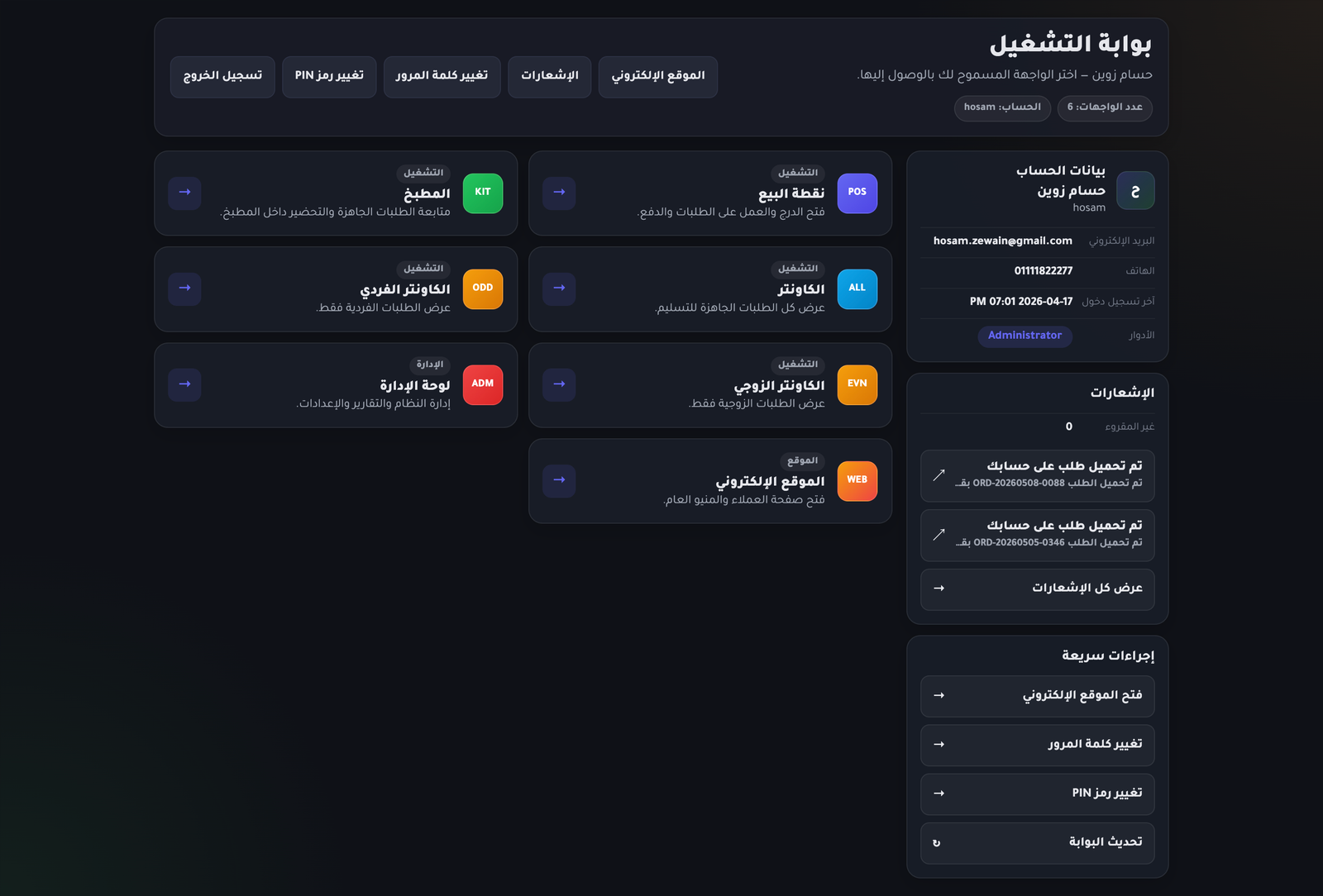
Running a restaurant is more than a POS screen
The real problem is connecting orders, kitchen, delivery, inventory, purchasing, item cost, custody, expenses, reports, and performance tracking. iRes ties all of that into one coherent platform — every order, every stock movement, every expense recorded and understandable.
See everything iRes coversEverything the front of house needs
POS, channels, kitchen, handover, dispatch, and customers — built for fast, traceable operations.
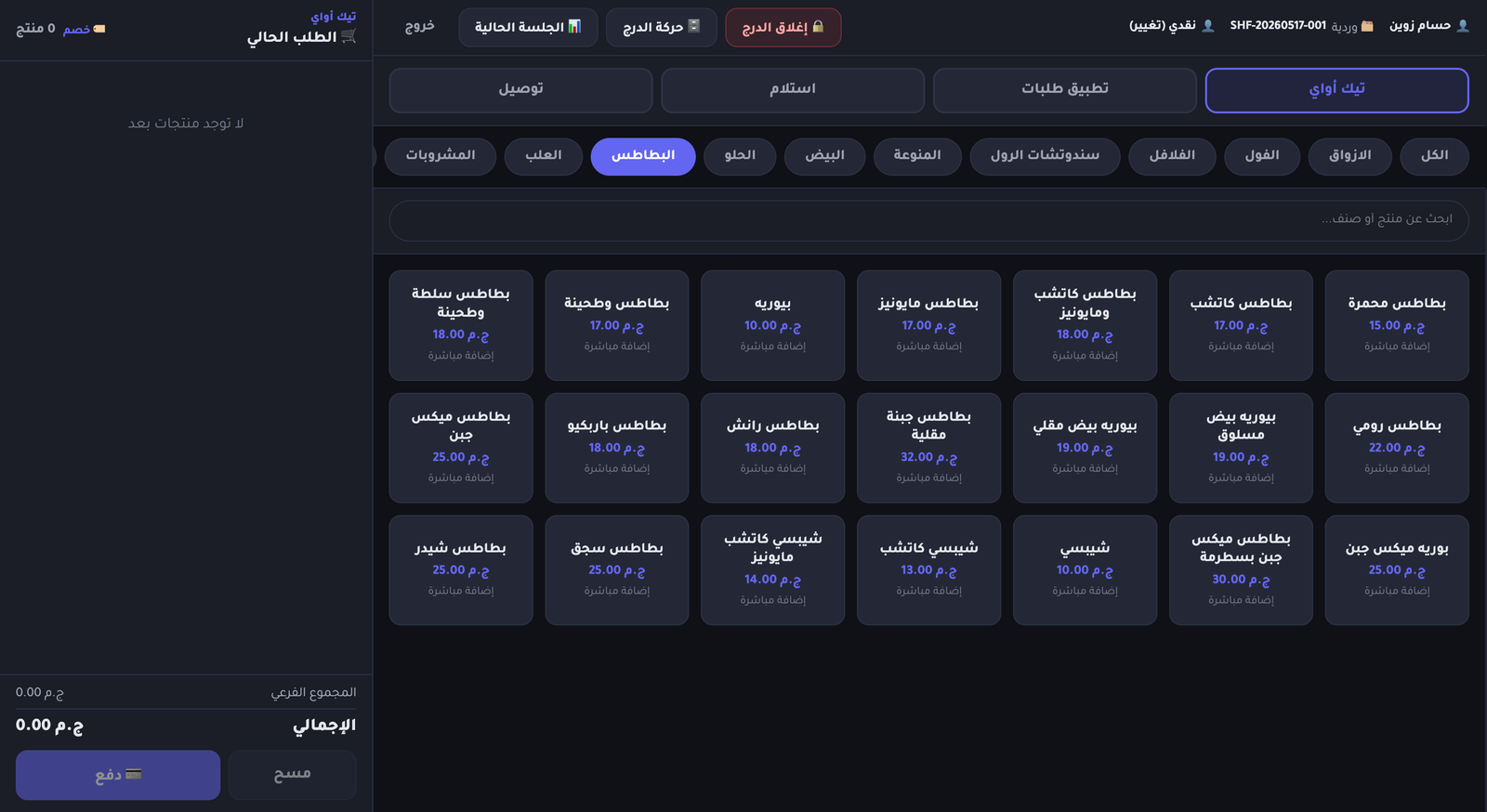
Fast, focused POS
A cashier UI built for the rush — fewest possible clicks per order, designed for peak-hour flow.
- Create orders fast and pick order type
- Add or select a customer, attach per-item notes
- Cash & card payment with bank-terminal and receipt-number capture
- Permission-gated discounts and one-click receipt printing
- Live shift order list with per-drawer cash and operation stats
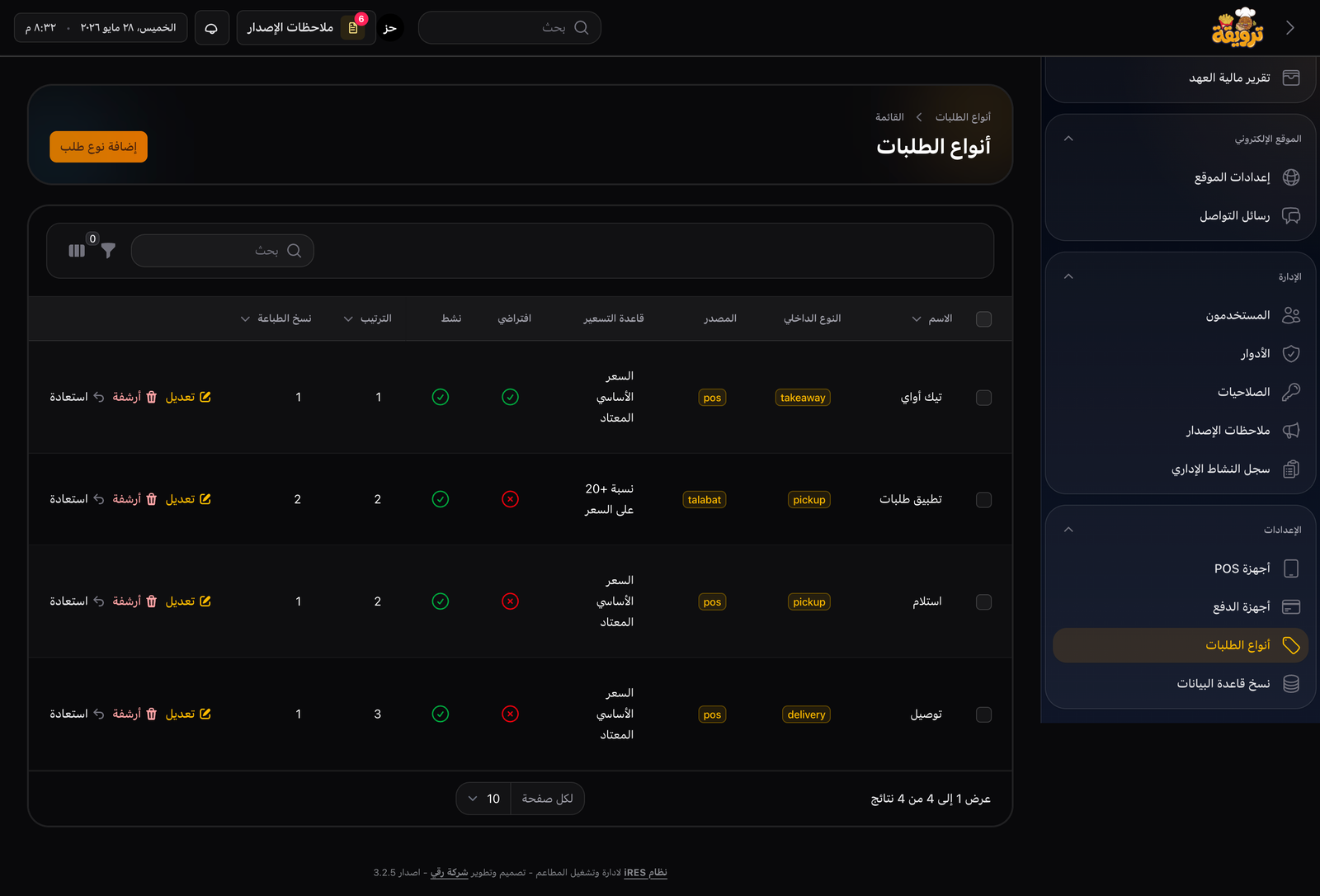
Order types & sales channels
Takeaway, delivery, pickup, web, call-center and external channels — each with its own pricing rules.
- Per-channel price lists
- Multi-size item pricing
- Add new sales channels without code changes
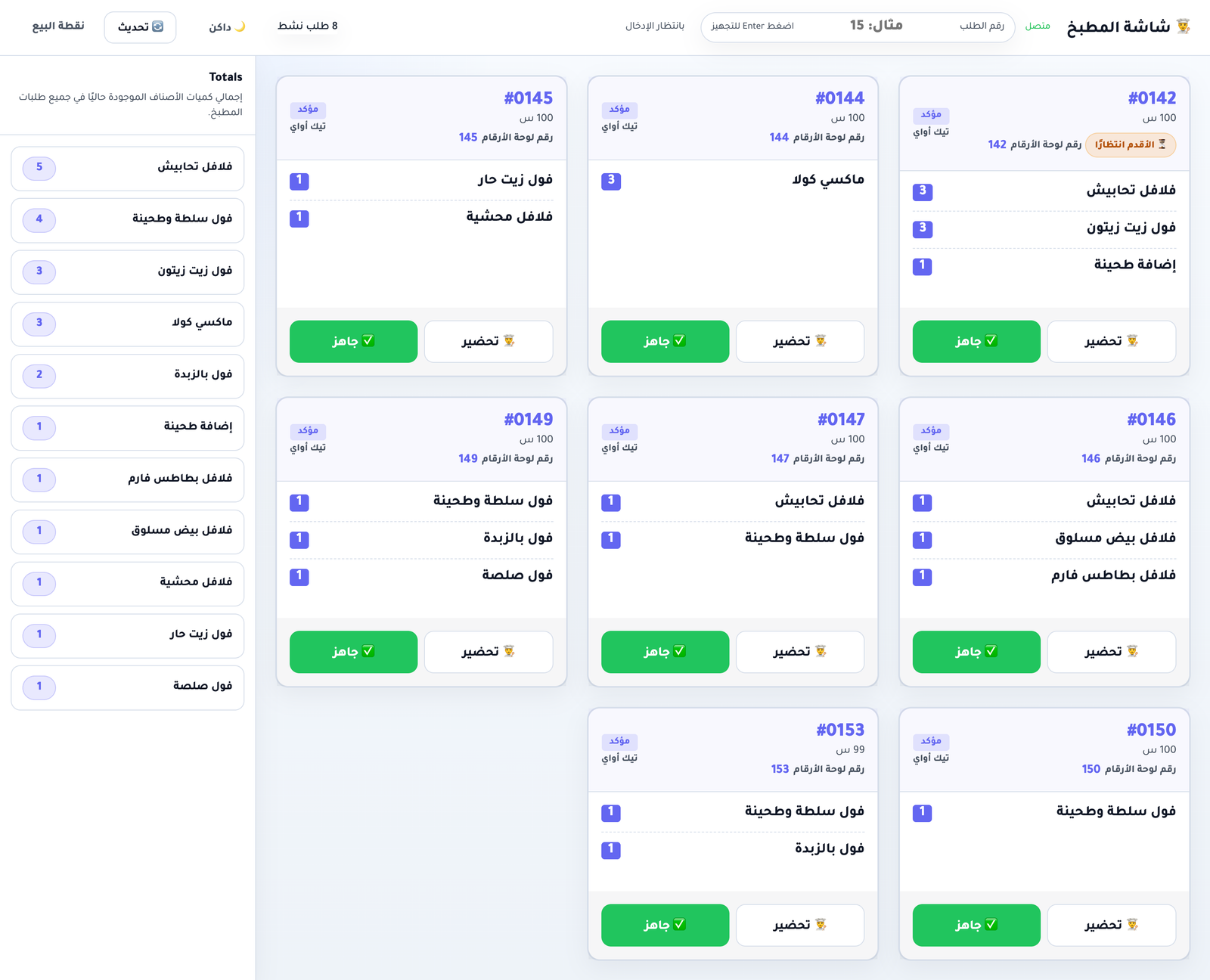
Kitchen Display
A dedicated kitchen screen showing only confirmed orders, with clear details and a one-tap "ready" action.
- Order number, items, quantities, per-item notes
- Status indicator and one-tap finish-prep
- Auto-routes to next stage by order type
Pickup & counter screens
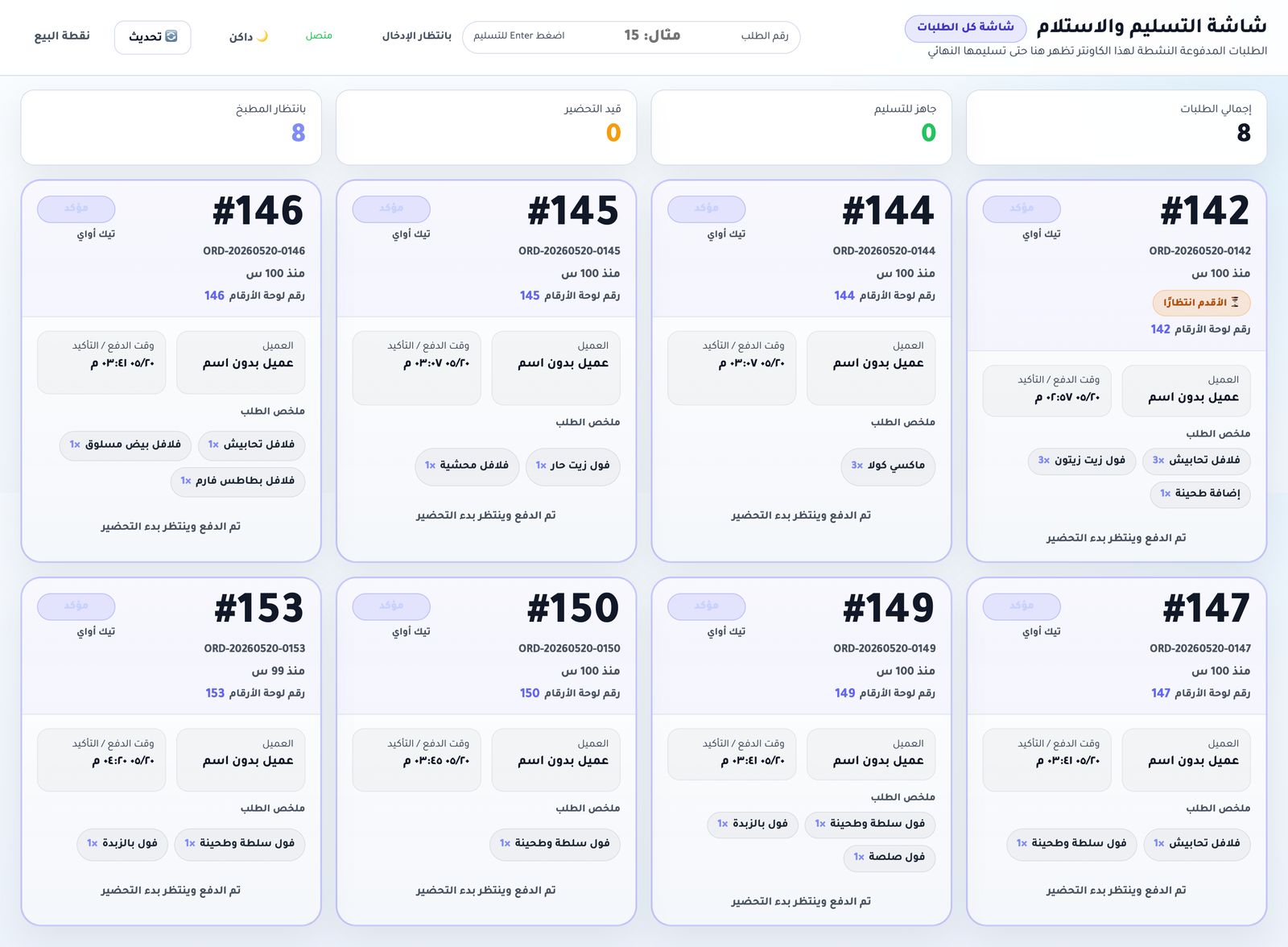
Multiple counter displays — general, single-lane, dual-lane, and a dedicated delivery prep+handover screen.
- Smoother peak-hour pickup
- Fewer handover mistakes
- Dedicated delivery prep screen
Dispatch board for external orders
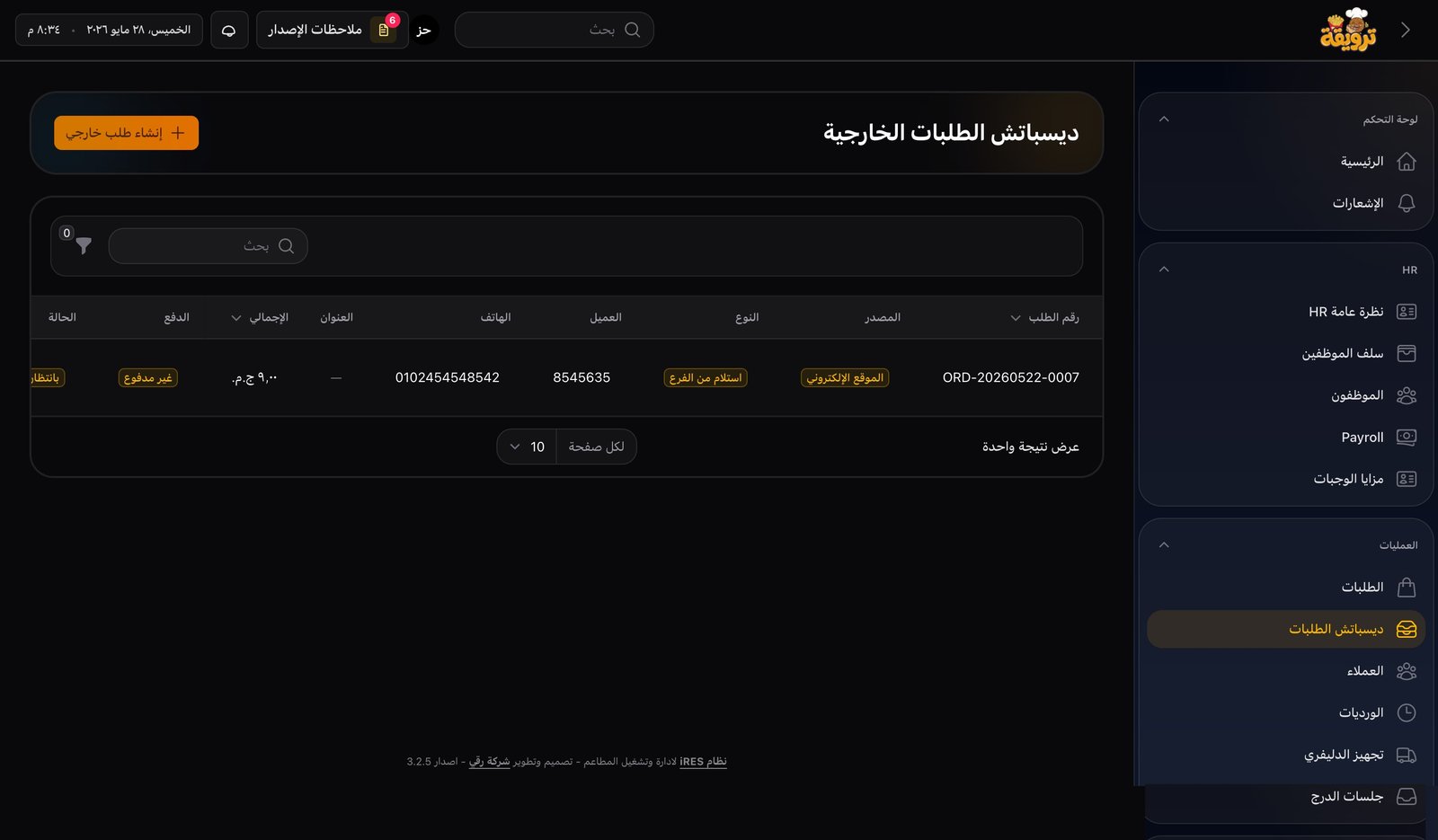
Website and call-center orders go through a Dispatch review before reaching the kitchen — no fake orders, no wasted prep.
- Verify customer phone and address
- Edit or reject orders before confirmation
- Track delivery orders end-to-end
Customer management
Add or look up customers from POS or admin, with full order history and lifetime value at a glance.
- Name, phone, address
- Past orders and last-order info
- Total orders and lifetime spend
Full control — from store, to kitchen, to recipe
Multi-location stock, recipes, prep batches, approved issue requests, bulk stocktake, and tracked waste.
Multi-location inventory
Main store, restaurant, kitchen, and any extra location — separate balances per item per location.
Purchases & receiving
Purchase invoices linked to suppliers and receiving location — quantities and cost update automatically.
Weighted-average cost
Weighted-average cost from purchases — for sharper pricing and true food-cost reporting.
Item recipes
Define a recipe per item — components are auto-deducted from stock on every sale.
Production / prep batches
Prep batches (doughs, mixes, daily prep) produced from raw stock and used by item recipes.
Stock issue requests
Request → review → approve → transfer — every step logged with the user behind it.
Issue-request templates
Reusable templates for recurring requests (daily veg, packaging, prep) — new request in one click.
Bulk daily stocktake
One screen to count all items in a location with variance and reason — posted as stock movements when approved.
Approved waste
Log waste with reason, quantity and value — only deducted after approval and surfaced in a dedicated report.
Practical financials — sized for a restaurant, not an ERP
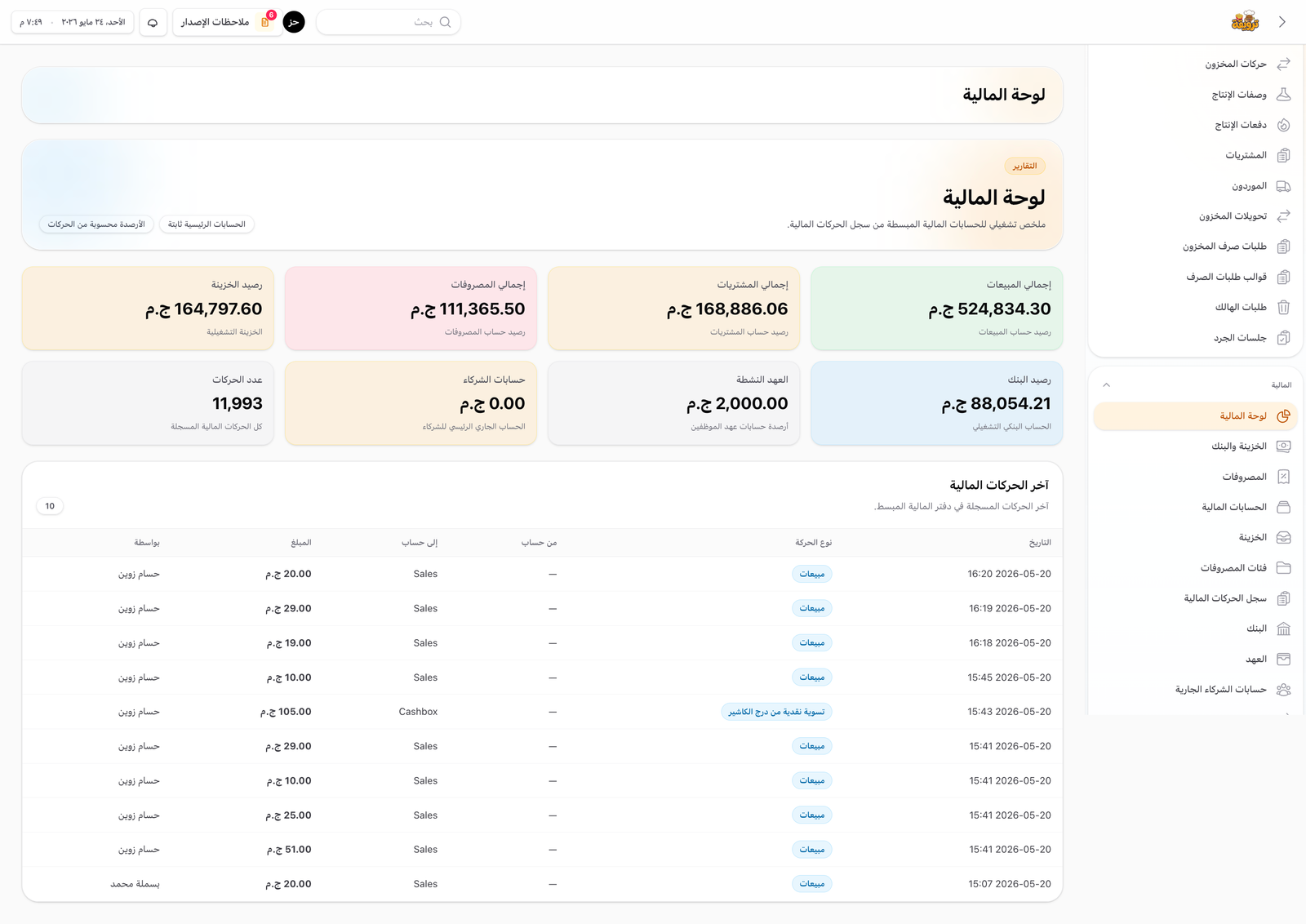
Cash, bank, custody, advances, partners, and a lean accounting layer — clear operational visibility without enterprise complexity.
Cash & bank
Cash and bank balances, deposits, withdrawals, transfers, and the live impact of purchases and expenses.
Employee custody
Issue an employee custody, fund it, spend it on purchases or expenses, and view a full per-employee statement.
Salary advances
Log advances with date, amount, and notes — monthly reports per employee included.
Partner accounts
Partner deposits and withdrawals, statement, and live balance / net activity.
Simple, practical accounting
Lean financials sized to a restaurant — no enterprise-ERP overhead, just clear operational visibility.
7 operations reports that answer your day-to-day questions
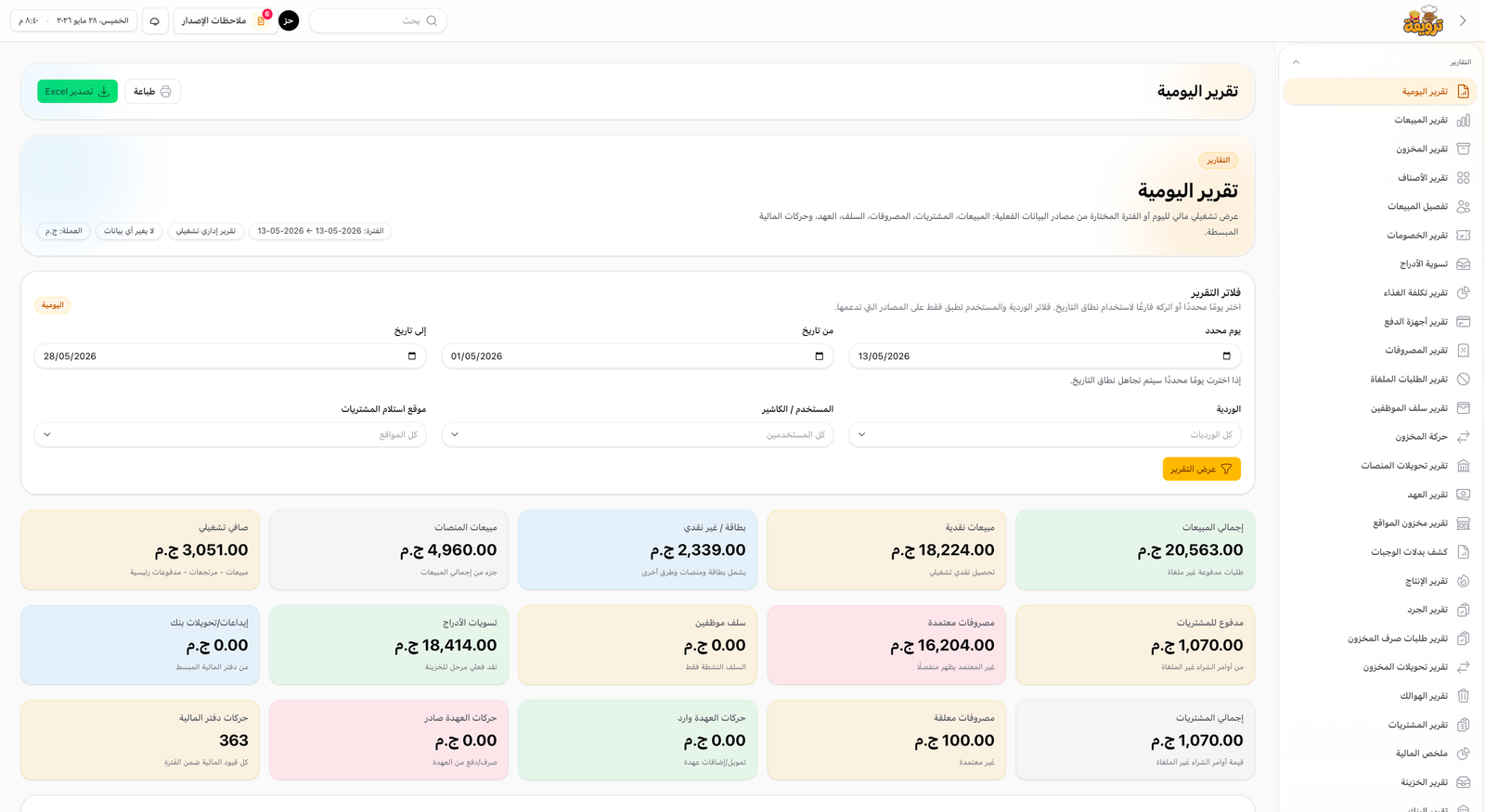
From a full daily report to operational P&L — Excel export included.
Daily operations
A full day in one view: cash/card sales, external channels, purchases, expenses, advances, custody, cash & bank movements.
Sales report
Sales by period, payment type, channel, order type, cashier, item and category.
Purchases report
Full purchase-invoice detail: supplier, item, qty, price, total, receiving location, payment — Excel export.
Food cost
Monthly food cost from recipe consumption and real inventory cost.
Inventory & transfers
Balances, movements, and inter-location transfers — with full request/issue/receive audit.
Waste report
All waste by location, item, quantity, reason, and cost — with requester and approver.
Operational P&L
Gross sales, discounts, net sales, COGS, gross profit, expenses, operational net profit.
Each user sees only what their role allows
A flexible permission system controls who can sell, approve discounts, sign off on stock requests and waste, view reports, manage financials, and edit the menu.
- Fine-grained control over every sensitive action
- Enforces principle of least privilege
- Audit trail of who did and who approved each operation
Customer-facing ordering site
A web storefront for menu, prices, cart, guest checkout, delivery or pickup — every order is reviewed in the Dispatch board before reaching the kitchen.

Release notes
In-app release notes appear once per user after every update — explaining what was added, what changed, and how new features work. Always available to re-read later.
In-app notifications
Notifications inside the portal and admin — e.g. owner alerts when an order references them, approval requests, and upcoming inventory / finance / operations alerts.
Built on modern stack
Built on Laravel, with a clean architecture designed to scale.
Customizable to your restaurant
iRes extends as your operation grows.
- Add branches
- Add new sales channels
- Custom reports
- Delivery-app integrations
- Customer portal
- Advanced notifications
- Online payment (future)
Built for restaurants that need real operations control
What you get with iRes
Quick answers to the most common questions
Run your restaurant smarter
Cut errors, speed up service, watch your stock, and know item cost and daily sales from one place. Request an iRes demo today.
Other products by RoQay
ShipoTech | Shipping & Delivery Management System
A smarter way to manage shipping and delivery operations — shipments, couriers, merchants, COD collection, financial settlements, public tracking, and accurate reports in one platform.
GymSys — Gym Management System
GymSys by RoQay brings members, subscriptions, payments, contracts, check-ins, branches, trainers, and class scheduling together in one practical management system.